ZMK Editor, a visual keymap editor in the browser
A browser app for editing ZMK keyboard configs visually. Drag keys around, set up combos, macros and modules, design your own keyboard, then let GitHub Actions build the firmware.
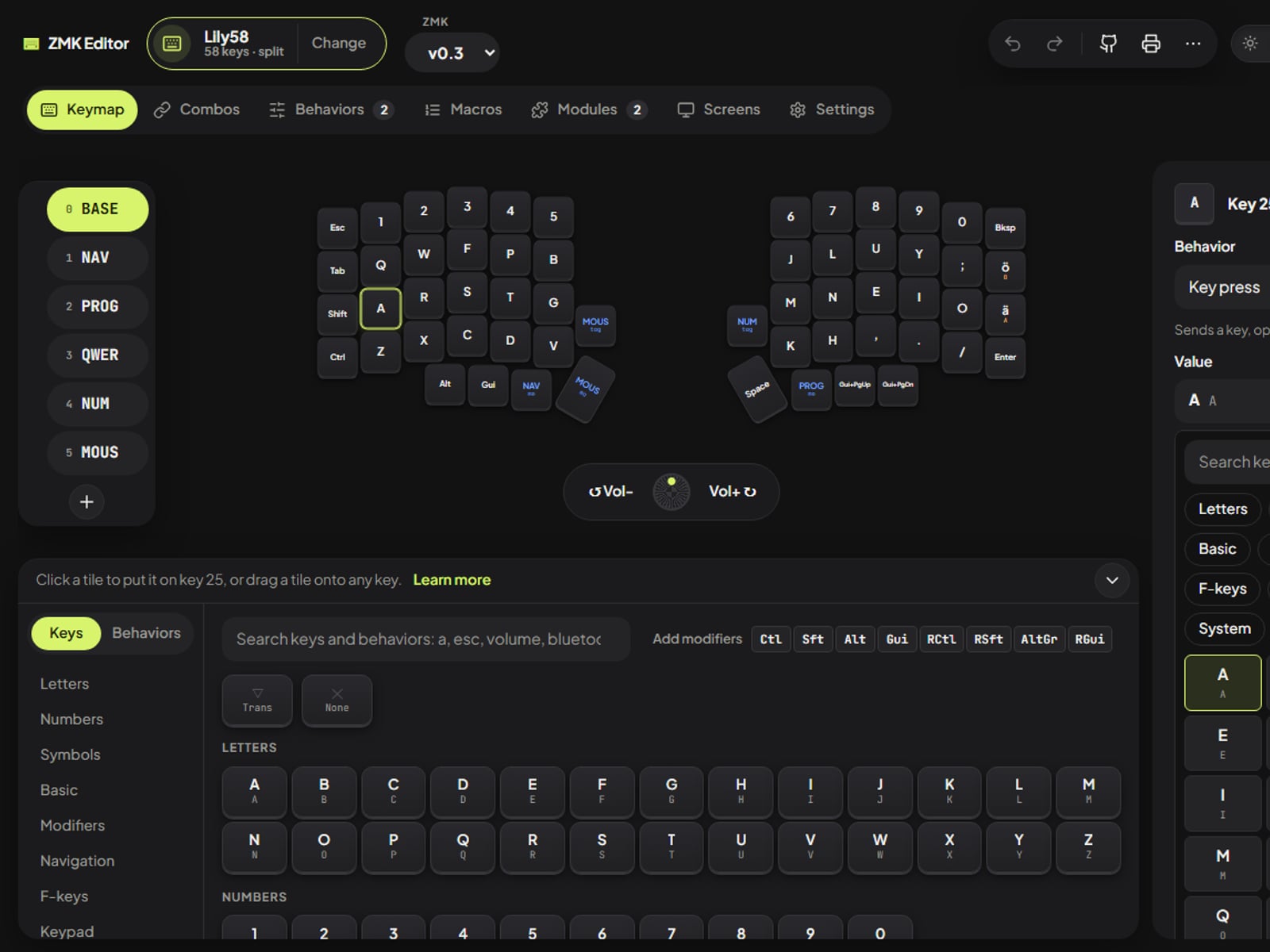
ZMK is great firmware for wireless and split keyboards, but changing a keymap means editing devicetree files by hand. ZMK Editor turns that into dragging keys around, and then builds the firmware for you.
What it does
- Edit keys visually. Drag keys and behaviors onto the keyboard, or select several keys and change them all at once. Hold-taps, layer keys, Bluetooth, mouse keys and Unicode are all in a searchable side panel.
- Layers, combos, macros and behaviors with forms instead of devicetree code: hold-taps, mod-morphs, tap-dances, encoders and conditional layers.
- Modules and screens. Add Unicode, auto layer, leader key and more, and pick what each half’s nice!view shows.
- Any keyboard, or your own. Start from ZMK’s default keymap for any supported board, or describe a handwired or PCB keyboard and the editor writes its shield files.
- Build and flash. Log in with GitHub, review the changes and commit. The editor follows the GitHub Actions build and hands you the firmware. In Chrome and Edge it can write it straight onto the keyboard.
- Print a cheat sheet of every layer, and undo anything.
How it’s built
It’s a React and TypeScript app with no server of its own: your work stays in the browser until you commit it. The core (a devicetree parser and printer, the keymap model and the file generators) has no React in it and is covered by tests against a real, working Lily58 config, which GitHub Actions builds with ZMK to prove the output compiles. A tiny Cloudflare Worker handles the “Log in with GitHub” step.
It’s free and open source.